Posts

How To Unlock A Hidden Application From Cmd In Windows 7

Image
First of all you get to cmd by Win + R, then follow the steps below: Disk Cleanup = cleanmgr.exe function Used for disk cleanup Character Map = charmap.exe function Used to look for unusual characters Dr Watson = drwtsn32.exe function Used for troubleshooting on the PC. DirectX diagnosis = dxdiag.exe function Used for the diagnosis of audio video card Private character editor = eudcedit.exe function Used to create a new character in your windows IExpress Wizard = iexpress.exe function Used to create self-extracting / self-installing package. such as Zip file Microsoft Synchronization Manager = mobsync.exe function Used to make sincronisasi. Clipboard Viewer = clipbrd.exe function Used to view the content of the Windows clipboard Windows Media Player 5.1 = mplay32.exe function Used to open Windows Media Player version 5.1 ODBC Data Source Administrator = odbcad32.exe function Used for database Object Packager = packager.exe function Used to insert objects into the file. System Configur...

How To Speed ​​Up Windows 7 Startup

Image
Steps - steps: 1. Click Start >> Type "RUN" in the "Search Programs and Files" >> And then Enter (Win + R) 2. Type MSCONFIG in the "RUN" then click the OK button 3. Then you will see the "System Configuration" in which there is a menu consisting of: General, Boot, Services, Startup, Tools, and click the "STARTUP" are available at the >> then you will see all the programs that you have installed on your laptop or computer you and uncheck the programs that you think are important for your laptop or computer 4. After you choose a program that you think is not important for your laptop or computer, then click APPLY located on the lower right corner >> and then click OK. 5. And then restart your computer or laptop 6. Good luck

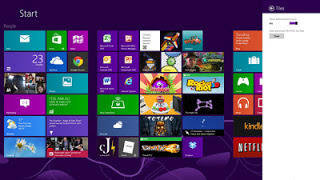
Tips And Tricks To Use Windows 8

Image
I will give you 5 Ways to Use Windows 8 : 1.  Disable the lock screen If you want your PC to boot as fast as possible, then one alternative is to disable the lock screen. Here's how. Press the Windows key and the key "R" on the keyboard simultaneously, then type gpedit.msc (Local Group Policy Editor) and browse to Computer Configuration> Administrative Templates> Control Panel> Personalization. Double-click on 'do not display the lock screen', select Enabled and click OK. Restart and lock screen will disappear. If you can not easily find gpedit.msc, you can do a search by typing boxed 'mmc', and then press Enter. On the File menu, click 'Add / Remove Snap-in', then on 'add or remove Snap-in' dialog box, click the Group Policy Object Editor ', then click' add '. In the dialog box 'Select Group Policy Object', click 'Browse'. Click on 'this computer' to edit the Local Group Policy object, or click...

How To Install Ubuntu 12.04

Image
Step-by-steps: Change your BIOS boot order to CD / DVD Rom as first choice, if using a CD / DVD. Or boot to flash if using flash as the installer. If the boot CD / DVD ubuntu running smoothly, then you will get something like the following. There are two (2) options are granted, the Try Ubuntu to try Ubuntu via flash / DVD directly and can also install it via the menu Install Ubuntu on it. Or if you want to directly press the Install button to install Ubuntu. Furthermore In Figure him for "Preparing to install Ubuntu". You at least have to have a minimum of 4.5 GB hard drive, and make sure it has enough battery power when installed on the laptop. If the computer is connected to the internet, you can check the Download Updates While Installing to download all updates and install third party software to download multimedia codecs for playing video and audio files later and while installing additional applications. However I would suggest not need mecentang because it will make ...

How To Uninstall Programs Application With Command Prompt in Windows 7

Image
Step-by-steps: Click Start Menu - All Programs-Accessories - Command Prompt - Right Click Run as Administrator (Win + R) Then in the Command Prompt type wmic and press enter     3. Then type the product get name and press Enter. This command will show a list of applications on your computer, but not all programs will be displayed.    4. Then type the command: product where name = "name of program" call uninstall,    5. When prompted type Y and press enter again.     6. If successful then you will see a notification on the screen Command Prompt.    7. Good Luck

How To Add RAM Laptop / Computer With A Flash Disk

Image
Requirements that must be met in your flash disk: Capacity required at least 256 MB (250 MB after formatted). Devices larger than 4 GB will have only 4 GB which can be used for ReadyBoost feature. The device must have a data access time 1 millisecond or even less than 1 millisecond. The device should be able to do the reading at least 2.5 megabytes per second for random reading in blocks of 4 KiB over the entire drive. In addition, the device should also be capable of writing at least 1.75 Megabytes per second for random writes in block 512 KiB over the entire drive. Devices should at least have an empty space (free space) is 235 MB. The device must be formatted using the NTFS file system, FAT16, or FAT32. ExFAT file system is not supported.  If the above requirements are met, then follow these steps: Plug your flash drive into your laptop / computer Once your flash drive is detected by the laptop / computer, open explorer, My computer. Right click on your flash drive, and select P...

How to Protect Flash Disk From Autorun Virus

Image
Step-by-steps: Make a folder with the name "autorun.inf" (without quotes) in your flash drive. Go to the folder and then create the autorun.inf file from the notepad by right clicking on a blank spot select New and select Text Document and name as you like, for example antivirus.txt Open CHARACTER MAP program by going START then ALL PROGRAMS, ACCESSORIES, SYSTEM TOOLS, and CHARACTER MAP. After CHARACTER MAP is open, select the one that ends Unicode font, such as Arial Unicode. Scroll down until you see the quirky characters such as Chinese Choose 5 or more Chinese characters or letters you want, double-click each time you select it. When finished click on the Copy button. Change the file name antivirus.txt with unique characters in step 5 earlier by flash disk back to you, go to the folder autorun.inf, coba.txt right click on the file, select rename, then press simultaneously Ctrl + V. (If out of character boxes just ignore it) Function of the Autorun.inf folder that you crea...